之前几篇笔记都是以图形资源为例, 对于游戏程序员来说, 可能打交道更多的资源文件是配置文件或者说数据文件. 而XML一般是配置文件的首选, 无论在MonoGame, 还是Flash, 抑或Unity3D. 官方对XML在Content Pipeline中的介绍如下(https://msdn.microsoft.com/en-us/library/ff604981.aspx)
Game assets managed through the Content Pipeline include graphic items such as textures, models and meshes; sound files such as dialogue or music; and custom data that governs the behavior of the game.
Data tables, for example, are custom data that might describe different characters’ attributes or the features of each level in the game. The content and format of this data is specific to the requirements of the game. Custom game data in the form of an XML file also can be loaded into your game through the standard features of the Content Pipeline.
When the Content Pipeline is used, the game does not have to parse the XML format in which the game data is originally stored. Data loaded by the game through ContentManager is read in deserialized form directly into a managed code object.
上面的介绍还是有些抽象. 看看官方的样例RolePlayingGameStarterkit中是怎么做的.
下图是英雄和NPC的数据配置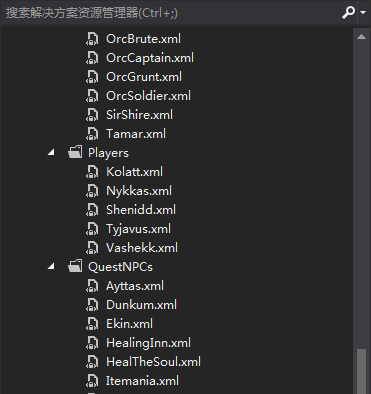
以QuestNPCs目录下的Ayttas.xml为例1
2
3
4
5
6
7
8
9
10
11
12
13
14
15
<XnaContent>
<Asset Type="RolePlayingGameData.QuestNpc">
<Name>Ayttas</Name>
<MapSprite>
<TextureName>Characters\Villager2IdleRight</TextureName>
<FrameDimensions>92 120</FrameDimensions>
<FramesPerRow>6</FramesPerRow>
<SourceOffset>46 89</SourceOffset>
<Animations />
</MapSprite>
<MapIdleAnimationInterval>150</MapIdleAnimationInterval>
<IntroductionDialogue>Welcome to Apple Village! Unfortunately, we're not in the best of shape right now because of these monstrosities. But enjoy your stay anyway! What choice is there, after all?</IntroductionDialogue>
</Asset>
</XnaContent>
其中和标签很关键, 前者表示该XML是一个Content, 后者表面是以哪个类去用该XML. 有了后者, 就可以用content.Load
使用内置的XMLImporter作为Content Pipeline中的导入器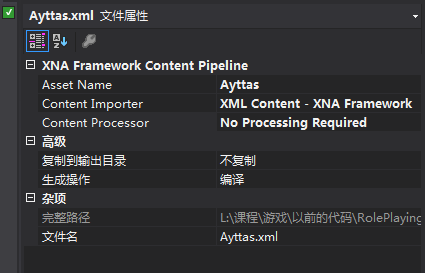
XML中也可以是集合数据1
2
3
4
5
6
7
8
9
10
11
12
13
14
15
16
17
18
19
20
21
22
23
<XnaContent>
<Asset Type="System.Collections.Generic.List[XmlContentSampleShared.Sprite]">
<Item>
<Position>100 100</Position>
<Rotation>0</Rotation>
<Scale>.2 .2</Scale>
<TextureAsset>crate</TextureAsset>
</Item>
<Item>
<Position>400 300</Position>
<Rotation>0</Rotation>
<Scale>.2 .2</Scale>
<TextureAsset>crate</TextureAsset>
</Item>
<Item>
<Position>500 20</Position>
<Rotation>0</Rotation>
<Scale>.2 .2</Scale>
<TextureAsset>crate</TextureAsset>
</Item>
</Asset>
</XnaContent
使用sprites = Content.Load<List
XNA是如何做到的? 其实XNA的Content Pipeline对XML有特殊照顾.1
2
3
4
5
6
7
8
9
10
11
12
13
14
15
16
17
18
19
20
21
22
23
24
25
26
27
28
29
30// MonoGame - Copyright (C) The MonoGame Team
// This file is subject to the terms and conditions defined in
// file 'LICENSE.txt', which is part of this source code package.
using System.Xml;
using Microsoft.Xna.Framework.Content.Pipeline.Serialization.Intermediate;
namespace Microsoft.Xna.Framework.Content.Pipeline
{
/// <summary>
/// Implements an importer for reading intermediate XML files. This is a wrapper around IntermediateSerializer.
/// </summary>
[]
public class XmlImporter : ContentImporter<object>
{
/// <summary>
/// Called by the XNA Framework when importing an intermediate file to be used as a game
/// asset. This is the method called by the XNA Framework when an asset is to be imported
/// into an object that can be recognized by the Content Pipeline.
/// </summary>
/// <param name="filename">Name of a game asset file.</param>
/// <param name="context">Contains information for importing a game asset, such as a logger interface.</param>
/// <returns>The imported game asset.</returns>
public override object Import(string filename, ContentImporterContext context)
{
using (var reader = XmlReader.Create(filename))
return IntermediateSerializer.Deserialize<object>(reader, filename);
}
}
}
XmlImporter只是对IntermediateSerializer的一个简单封装. 关键在于IntermediateSerializer
Provides methods for reading and writing XNA intermediate XML format.
上面那种带标签的xml格式, 也叫做XNA intermediate XML format
1 | namespace Microsoft.Xna.Framework.Content.Pipeline.Serialization.Intermediate |
这里不具体分析IntermediateSerializer的实现, 可以猜测的是对各种类型的序列化和反序列化.
下图是Microsoft.Xna.Framework.Content.Pipeline.Serialization.Intermediate命名空间下的文件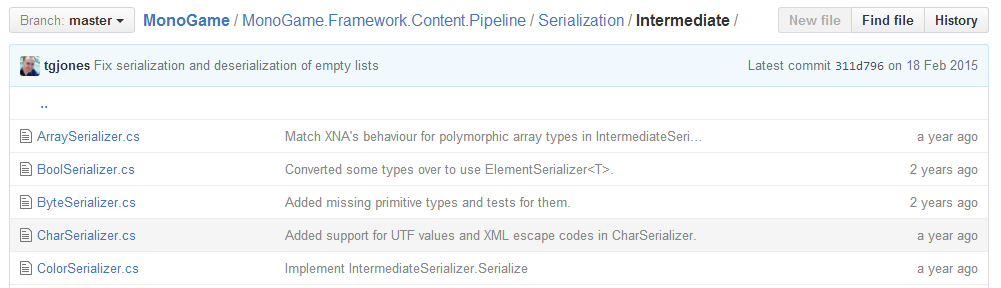
1
2
3
4
5
6
7
8
9
10
11
12
13
14
15
16
17
18
19
20
21
22
23
24
25
26
27
28
29
30// MonoGame - Copyright (C) The MonoGame Team
// This file is subject to the terms and conditions defined in
// file 'LICENSE.txt', which is part of this source code package.
using System.Collections.Generic;
using System.Xml;
namespace Microsoft.Xna.Framework.Content.Pipeline.Serialization.Intermediate
{
[]
class Vector2Serializer : ElementSerializer<Vector2>
{
public Vector2Serializer() :
base("Vector2", 2)
{
}
protected internal override Vector2 Deserialize(string[] inputs, ref int index)
{
return new Vector2( XmlConvert.ToSingle(inputs[index++]),
XmlConvert.ToSingle(inputs[index++]));
}
protected internal override void Serialize(Vector2 value, List<string> results)
{
results.Add(XmlConvert.ToString(value.X));
results.Add(XmlConvert.ToString(value.Y));
}
}
}
往上一层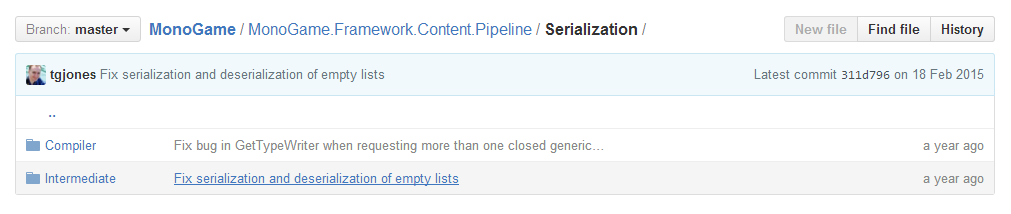
发现有一个Compiler, 进去一看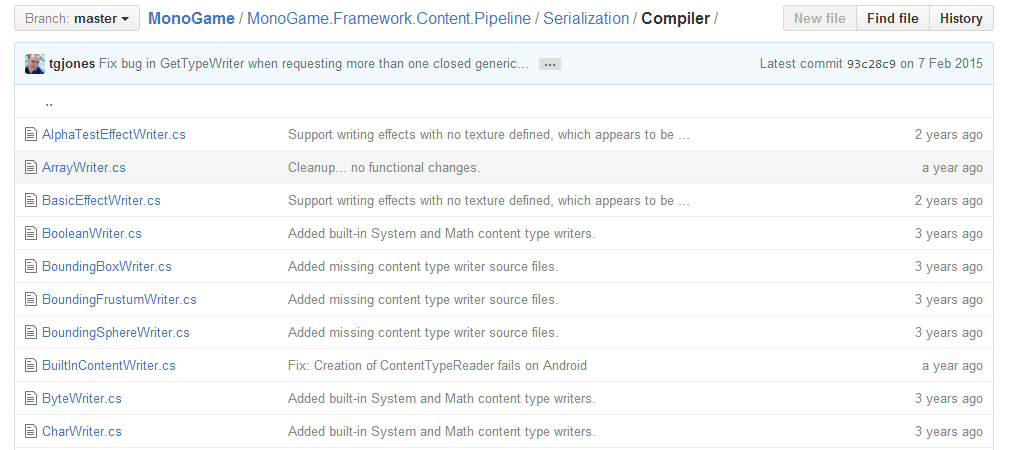
可以对比下1
2
3
4
5
6
7
8
9
10
11
12
13
14
15
16
17
18
19
20
21
22
23
24
25// MonoGame - Copyright (C) The MonoGame Team
// This file is subject to the terms and conditions defined in
// file 'LICENSE.txt', which is part of this source code package.
using System;
using TOutput = Microsoft.Xna.Framework.Vector2;
namespace Microsoft.Xna.Framework.Content.Pipeline.Serialization.Compiler
{
/// <summary>
/// Writes the Vector2 value to the output.
/// </summary>
[]
class Vector2Writer : BuiltInContentWriter<TOutput>
{
/// <summary>
/// Writes the value to the output.
/// </summary>
/// <param name="output">The output writer object.</param>
/// <param name="value">The value to write to the output.</param>
protected internal override void Write(ContentWriter output, TOutput value)
{
output.Write(value);
}
}
}
这个Compiler文件夹下的Writer用于对Content Processor的输出进行序列化, 而Intermediate文件夹下的Serializer是用于XML Intermediate Format的序列化和反序列化. 所以说Content Pipeline对XML有特殊照顾
关于IntermediateSerializer, 推荐阅读XNA团队成员的系列文章:
Everything you ever wanted to know about IntermediateSerializer
http://blogs.msdn.com/b/shawnhar/archive/2008/08/12/everything-you-ever-wanted-to-know-about-intermediateserializer.aspx
讲了如何使用XNA intermediate XML format (XML中除了普通的数据, 还可以有shared resource和external resource)
IntermediateSerializer vs. XmlSerializer
http://blogs.msdn.com/b/shawnhar/archive/2008/07/28/intermediateserializer-vs-xmlserializer.aspx
讲了IntermediateSerializer的好处
XML and the Content Pipeline
http://blogs.msdn.com/b/shawnhar/archive/2008/05/30/xml-and-the-content-pipeline.aspx
讲了IntermediateSerializer的必要性